Does your Classic Mac play a sad chime or have a fault you can’t figure out? Just want to check your logic board for hidden problems?
Reconnaissance runs on your modern machine and connects to your Classic Mac over serial to run diagnostic tests using the Test Manager that’s built into the ROM. It’s like having a TechStep, but easier and more capable.
Read the official announcement on TinkerDifferent.
What You Need
- Reconnaissance App
- Available for macOS 14 Sonoma or later, Windows 10, and Windows 11
- A supported Classic Macintosh computer
- USB-Serial adapter or a PC with an on-board serial port
- Serial cable
Quick Start
- Run the Reconnaissance app
- Choose the serial port and target Mac model
- Connect a serial cable to the modem port on your Classic Mac
- Start your Mac in Diagnostic Mode
- Click Run Standard Tests or pick individual tests. See the Diagnostics Reference to see what’s supported.
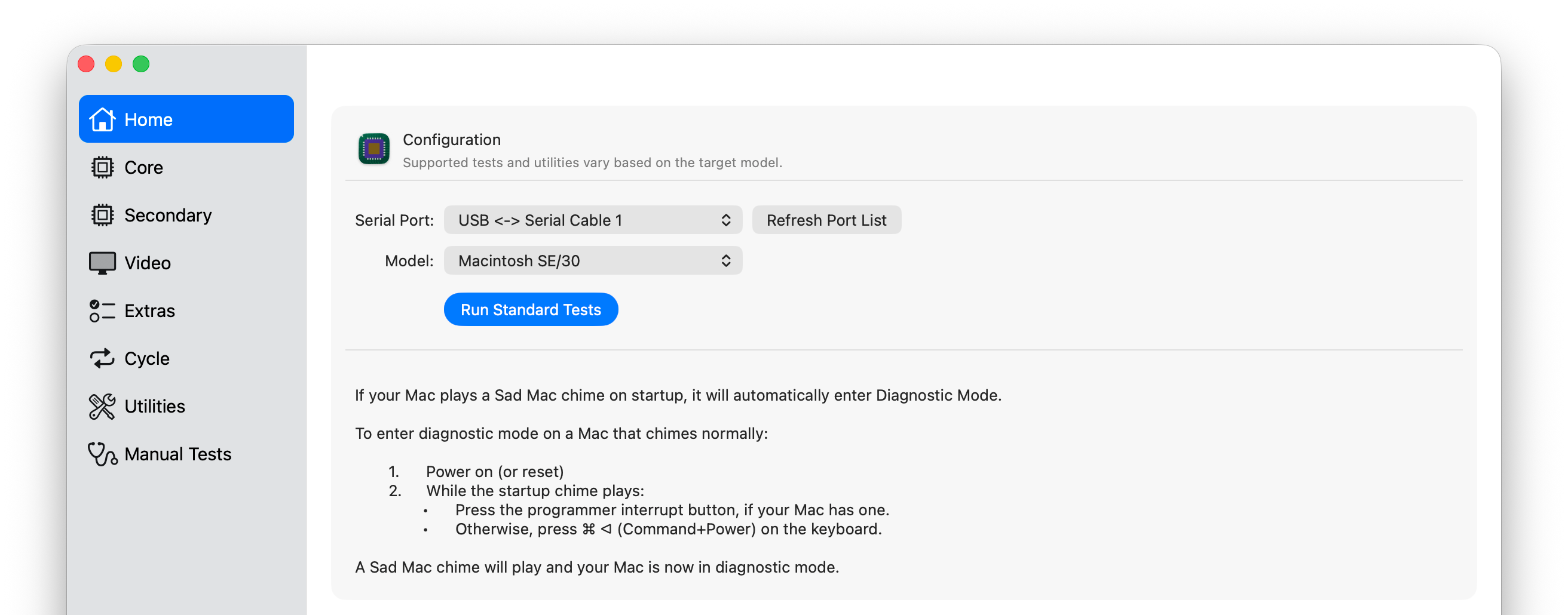
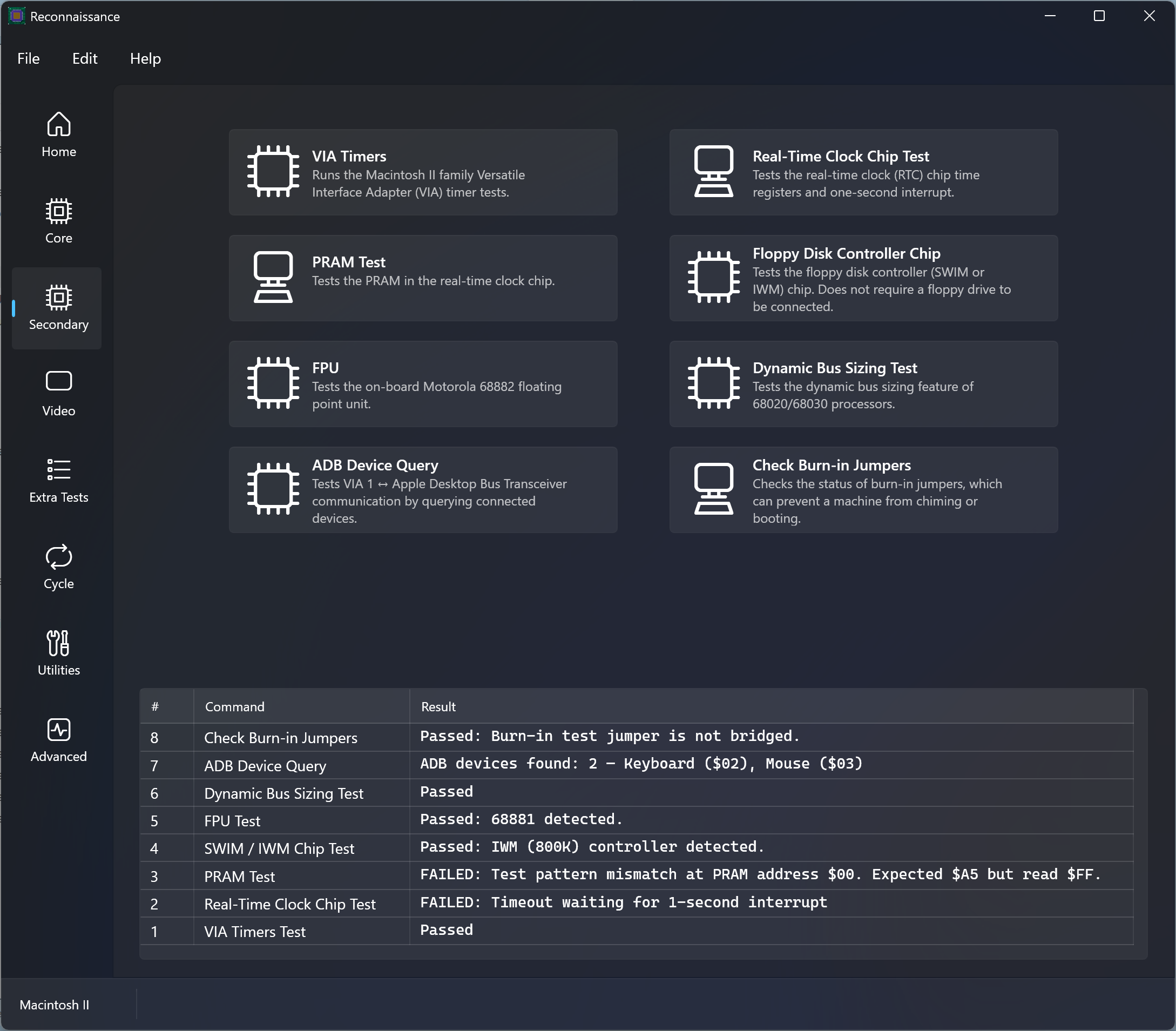
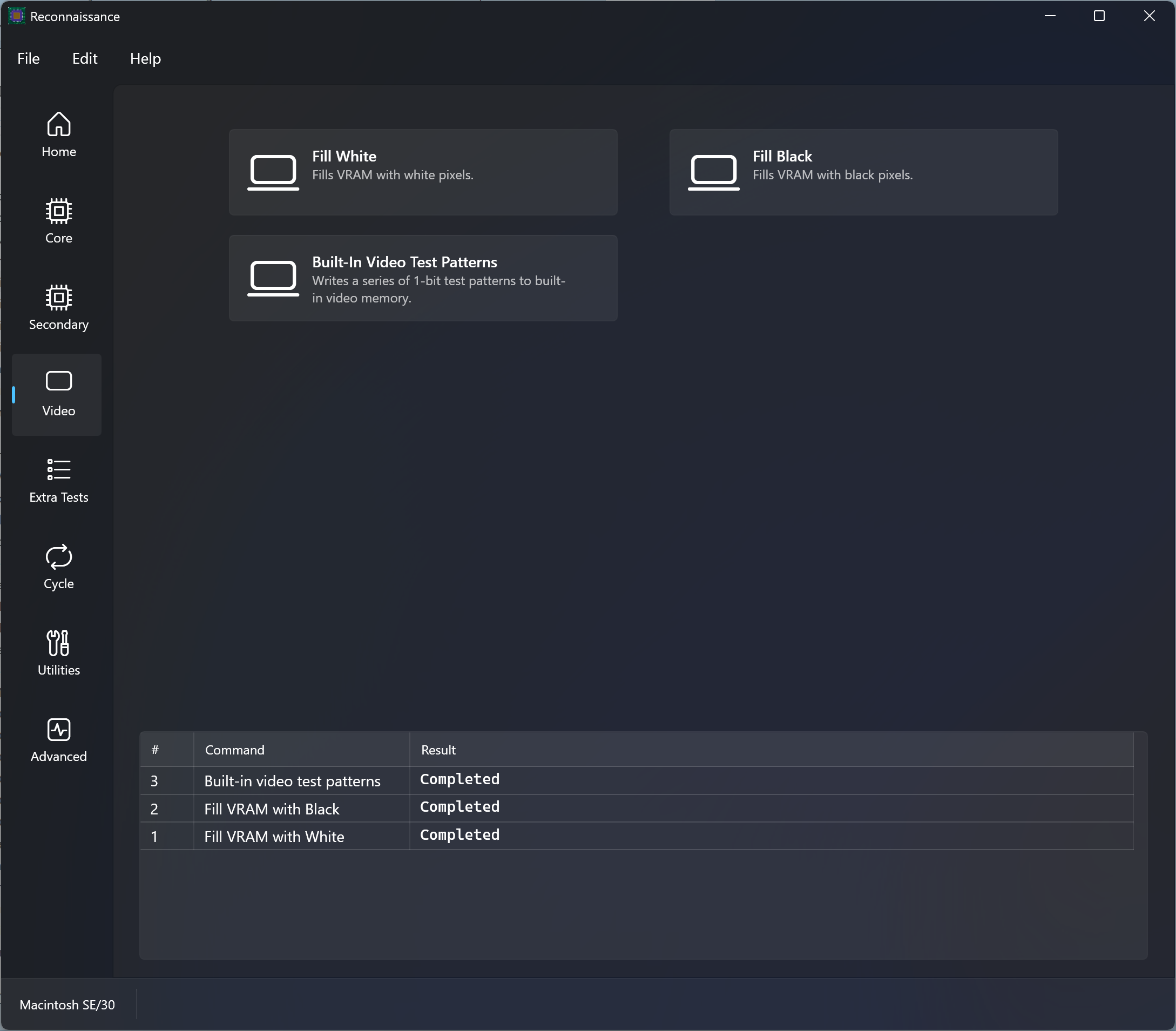
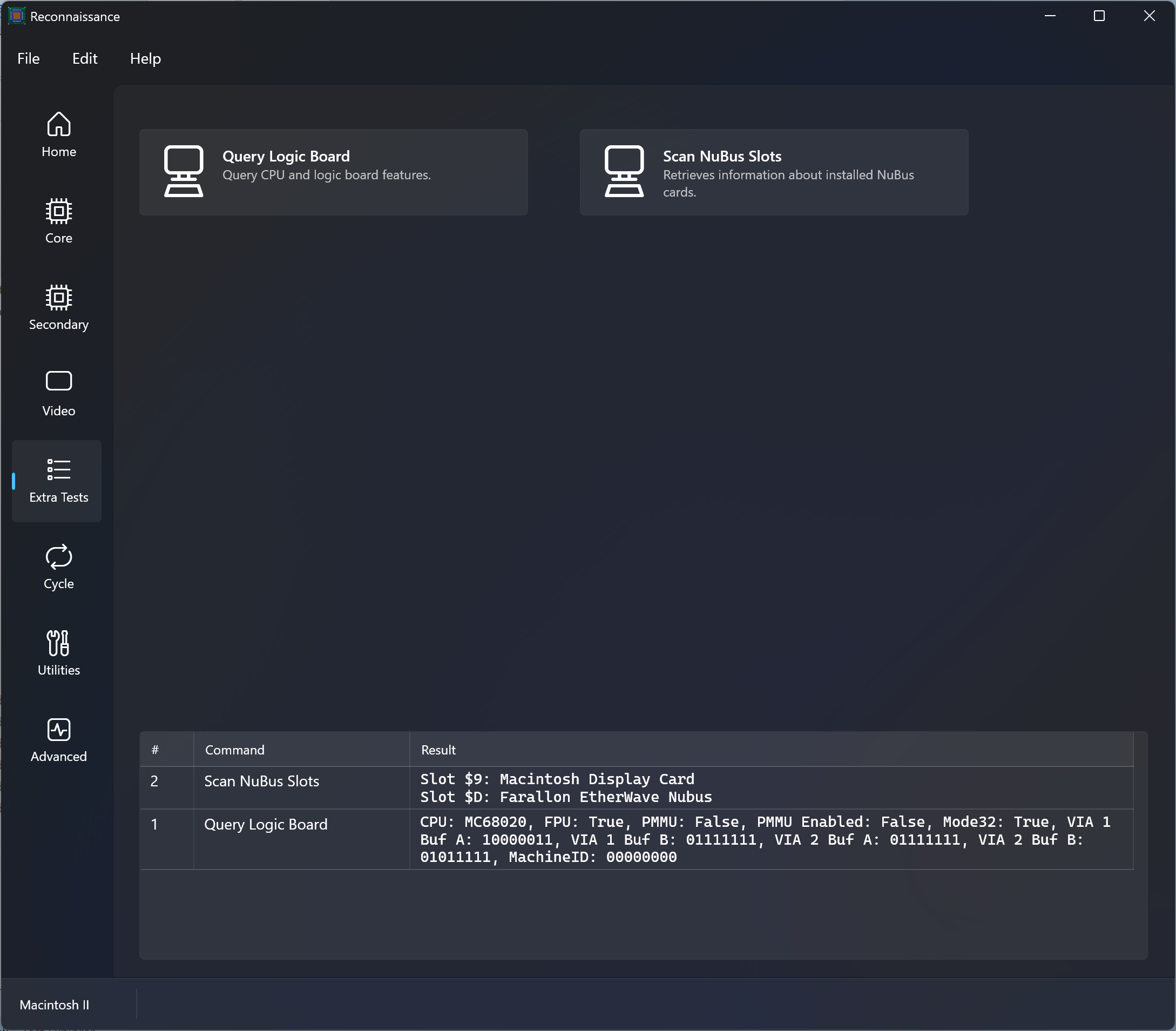
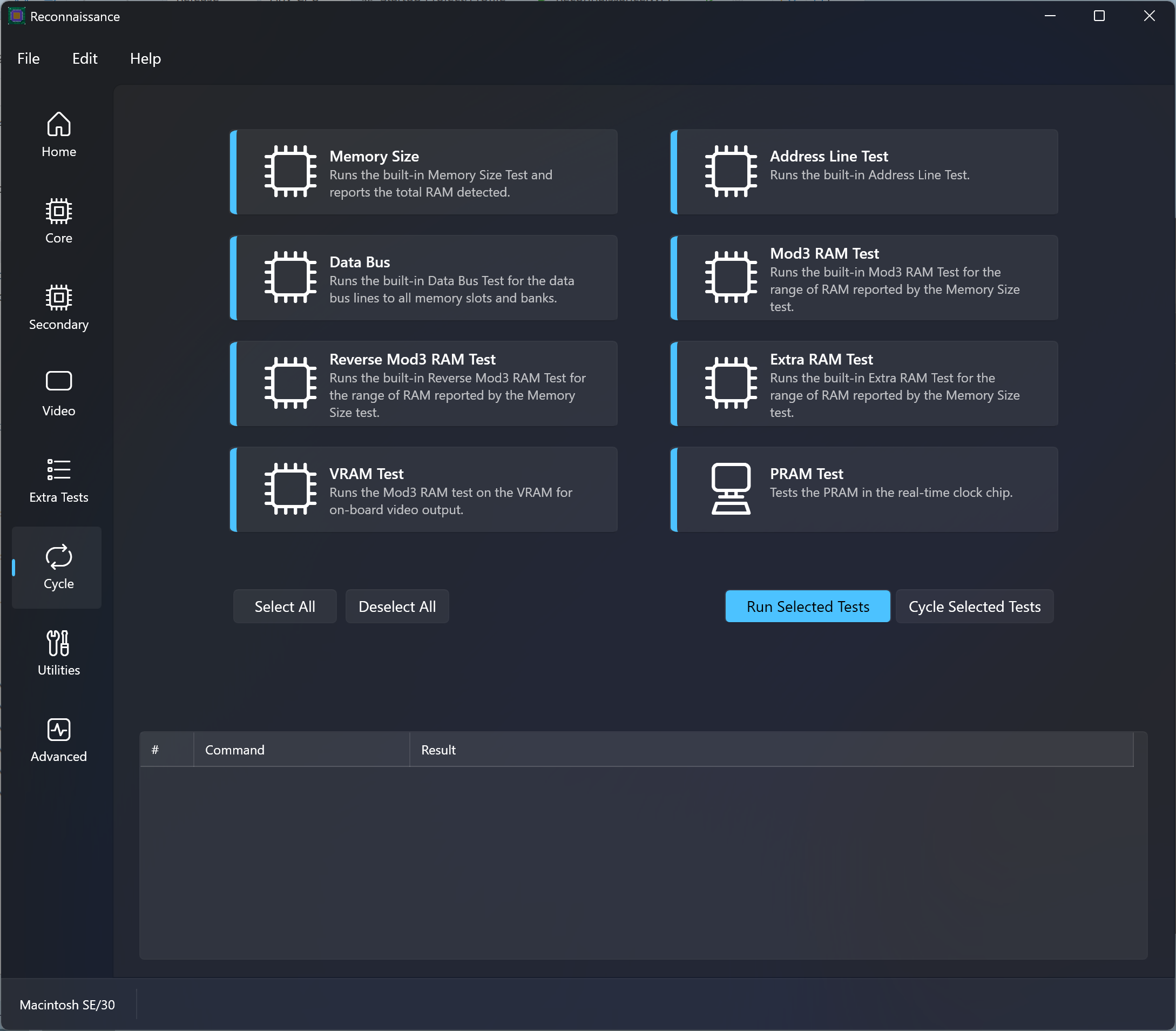
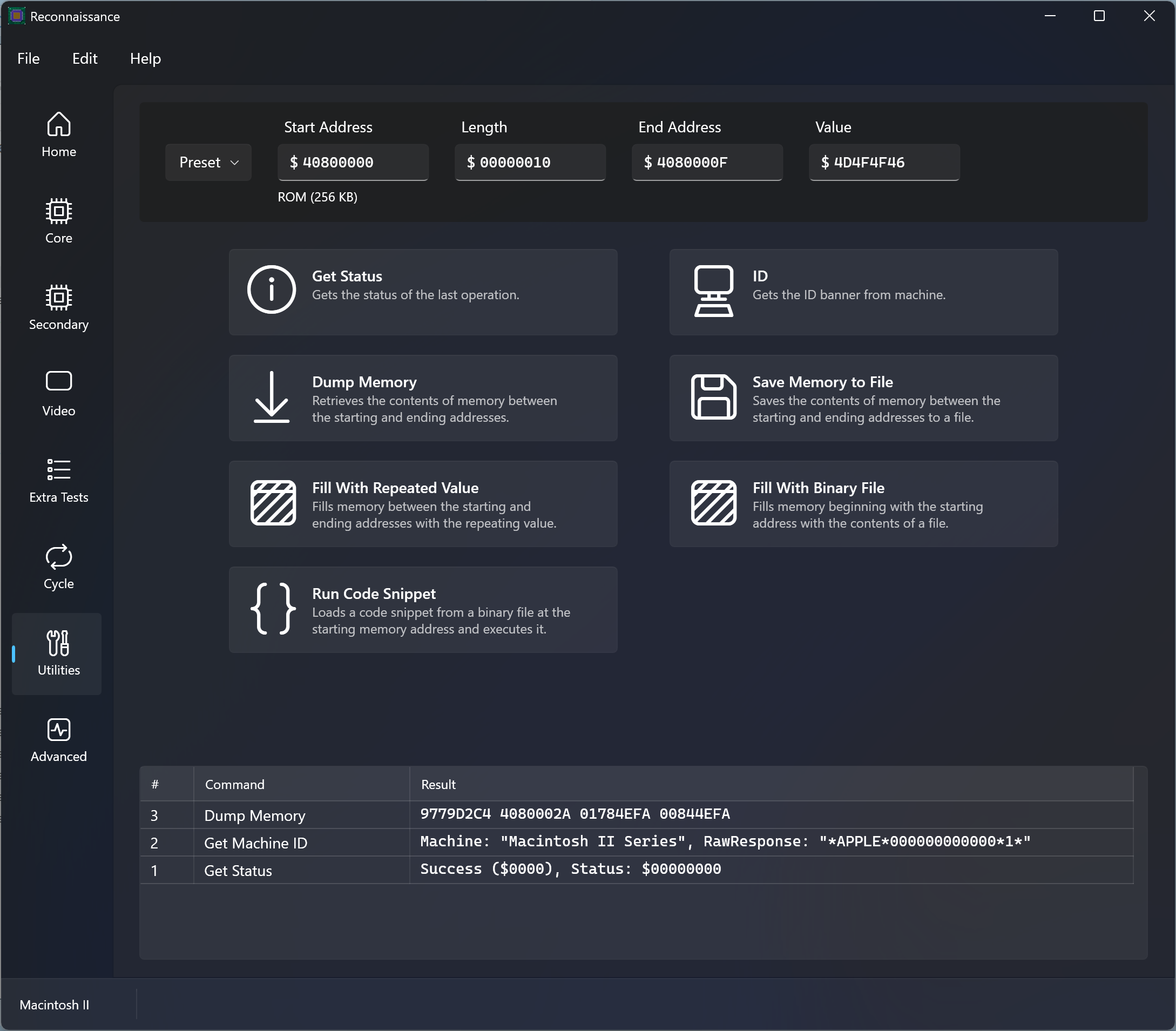
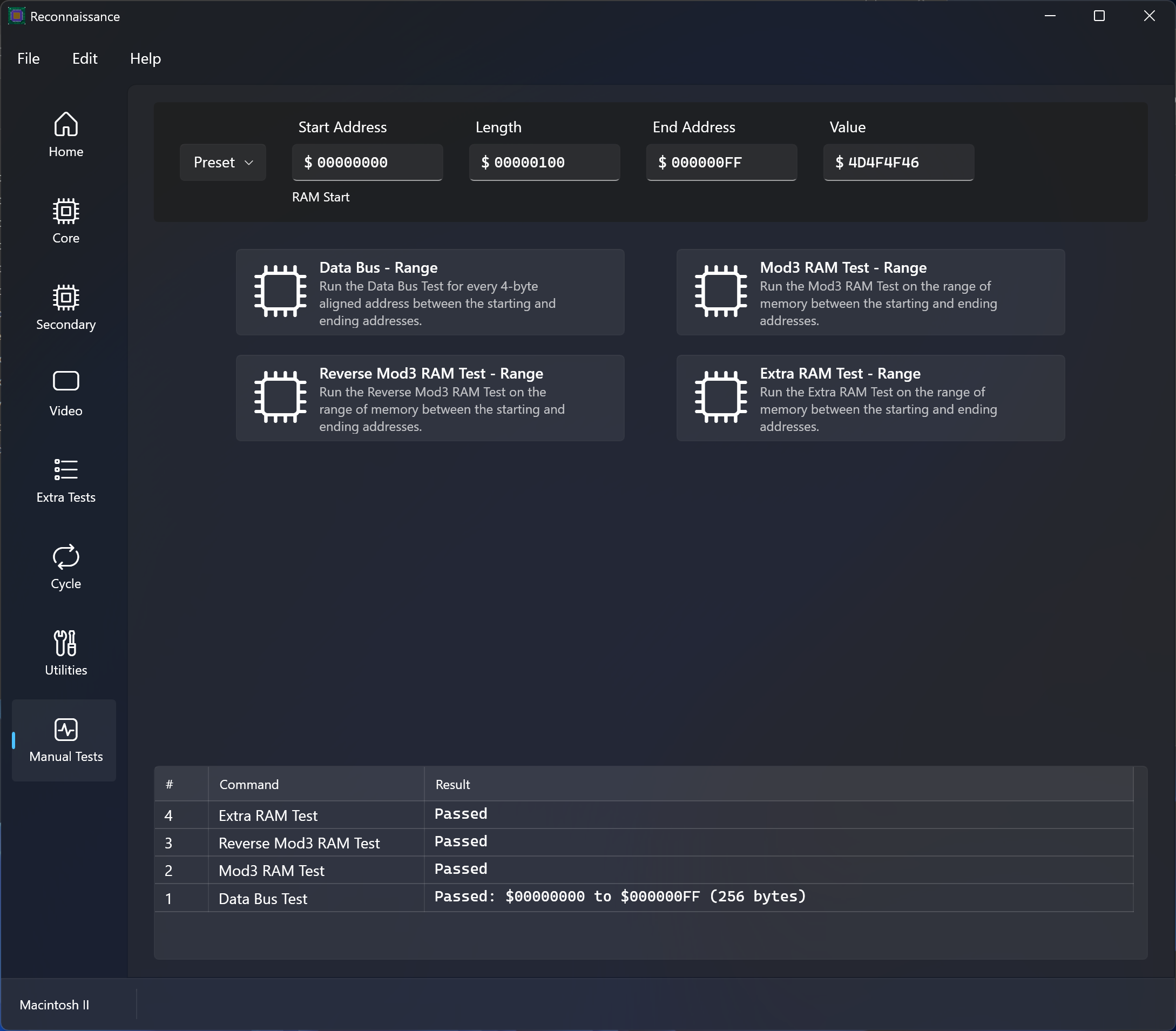
Screenshots
Reconnaissance running on macOS 26 Tahoe
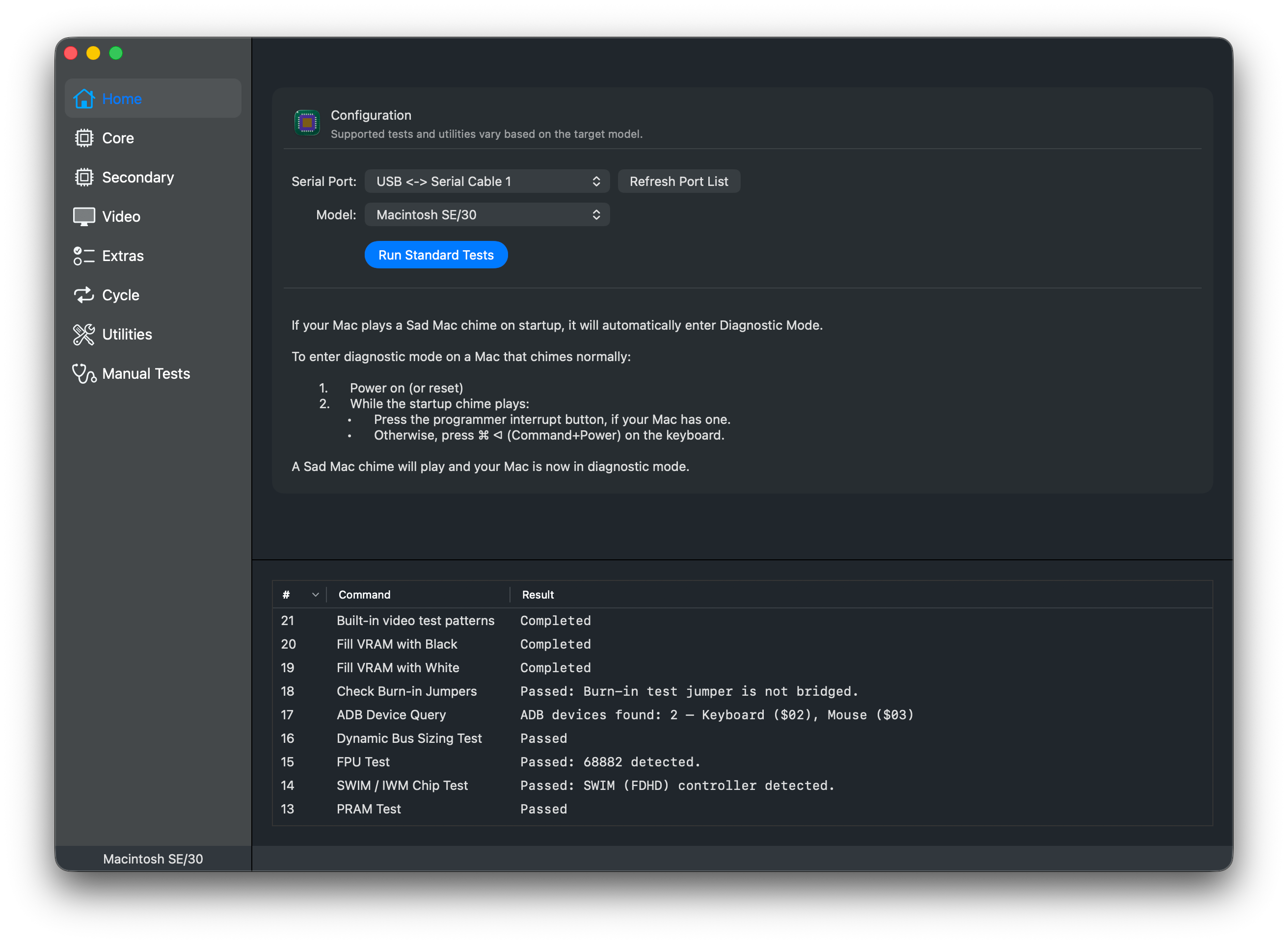
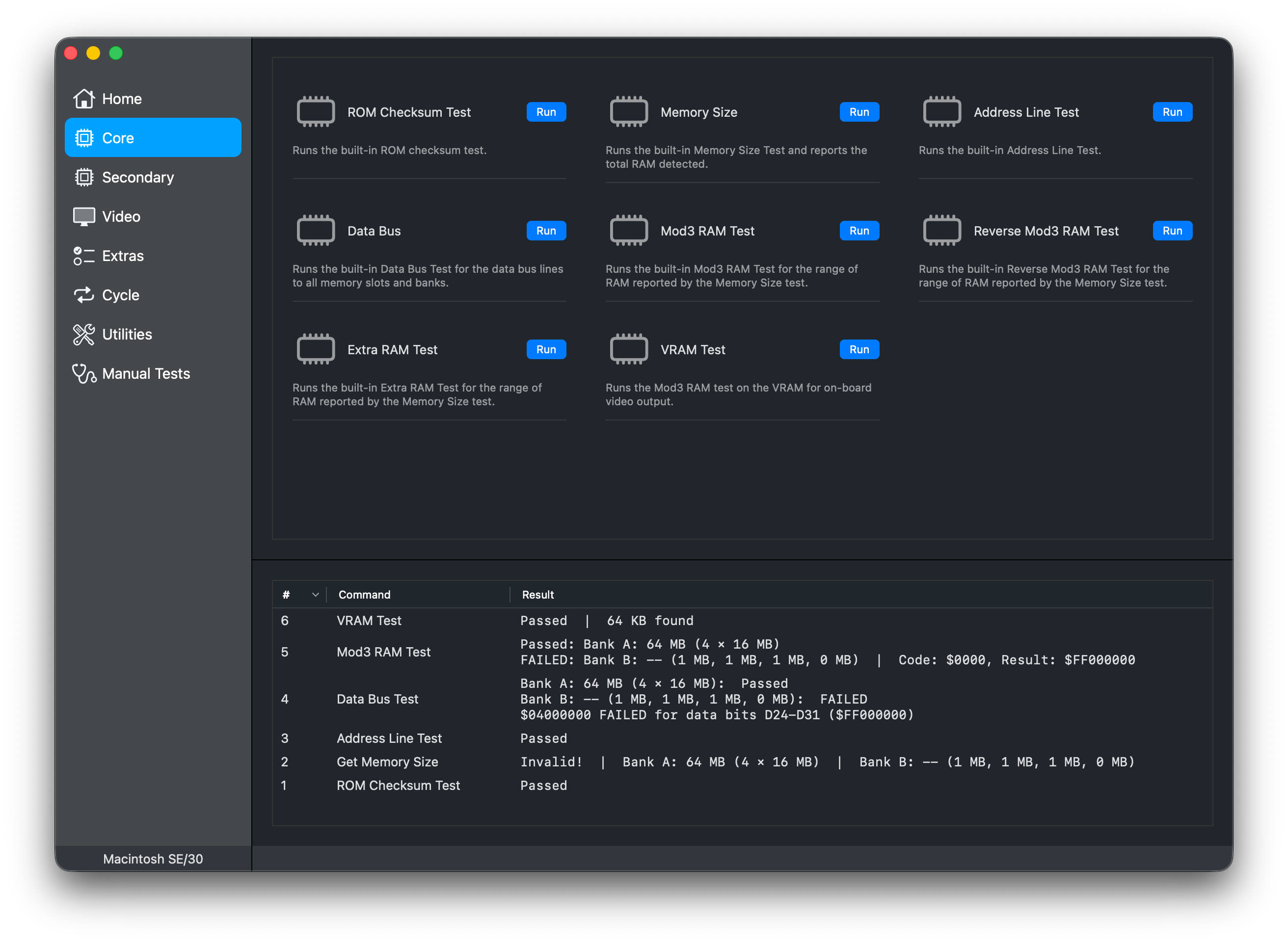
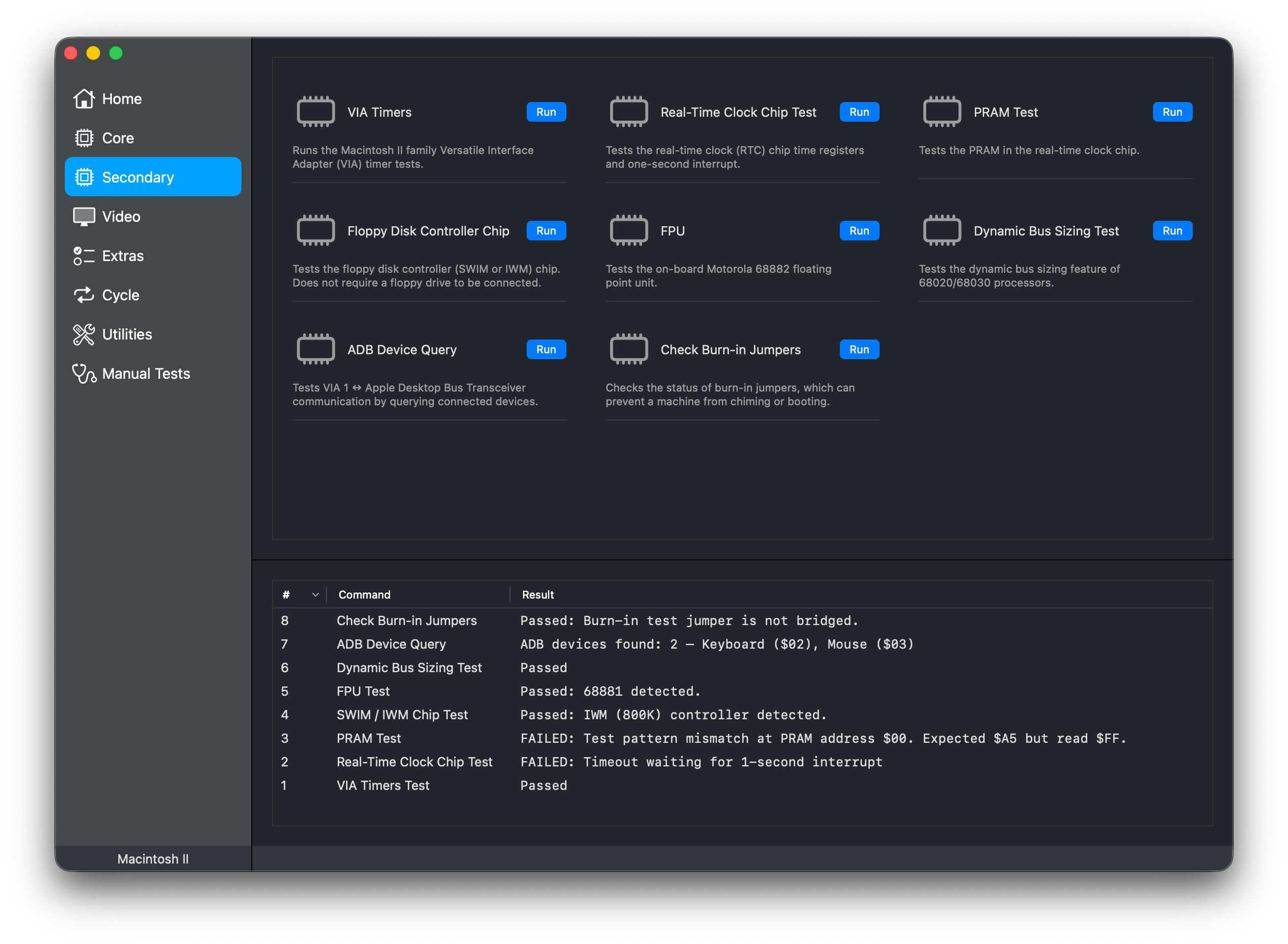
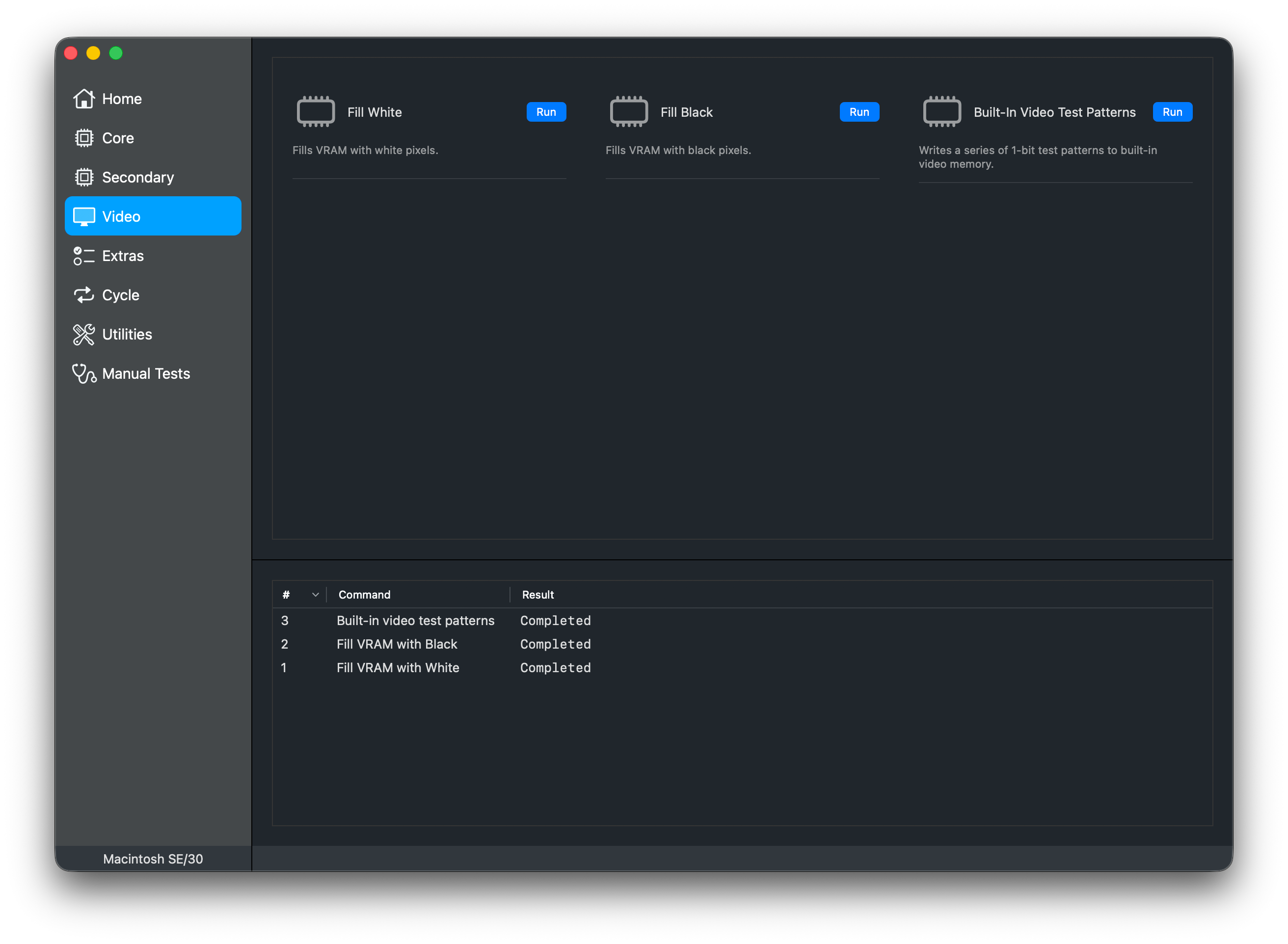
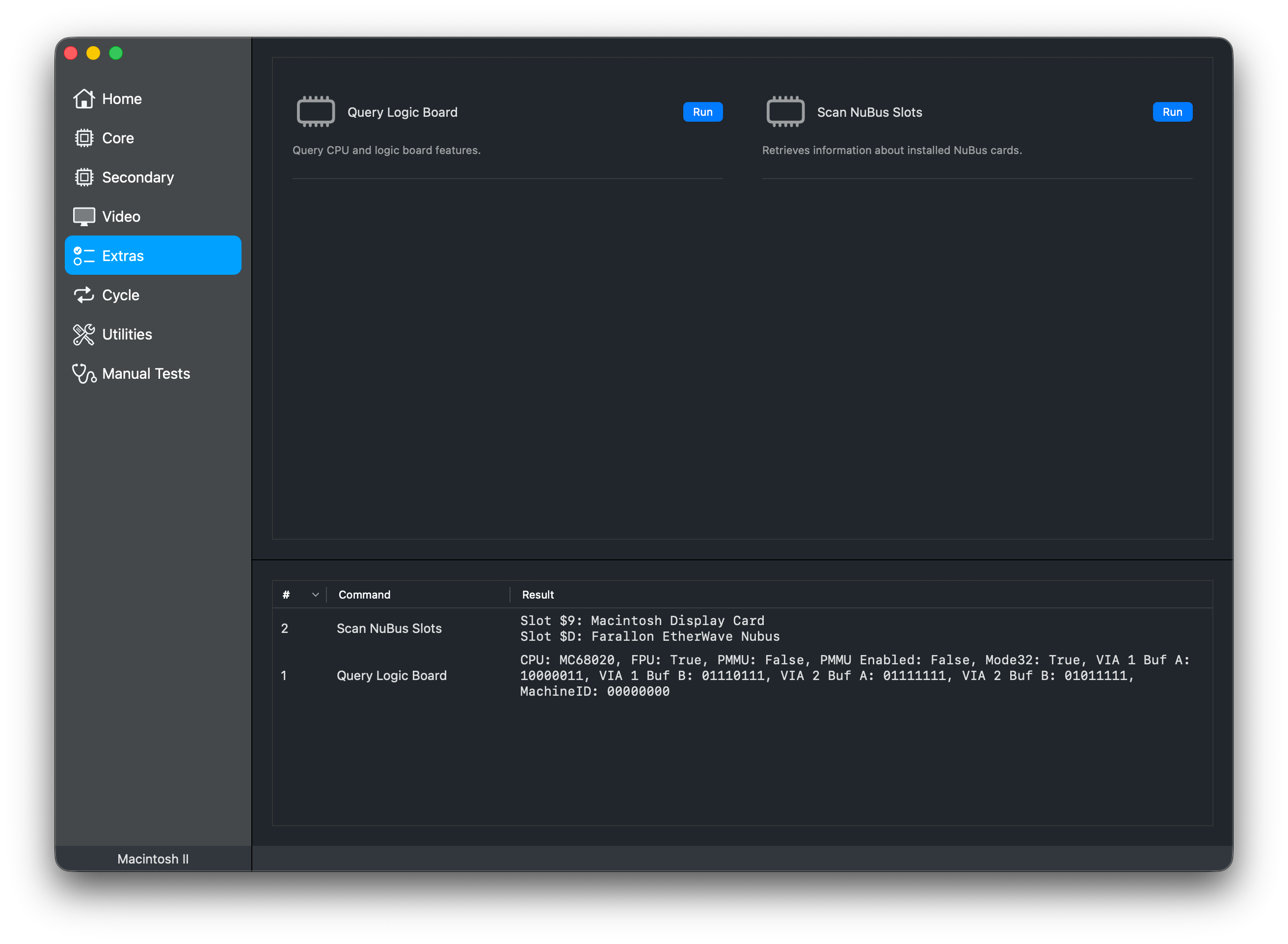
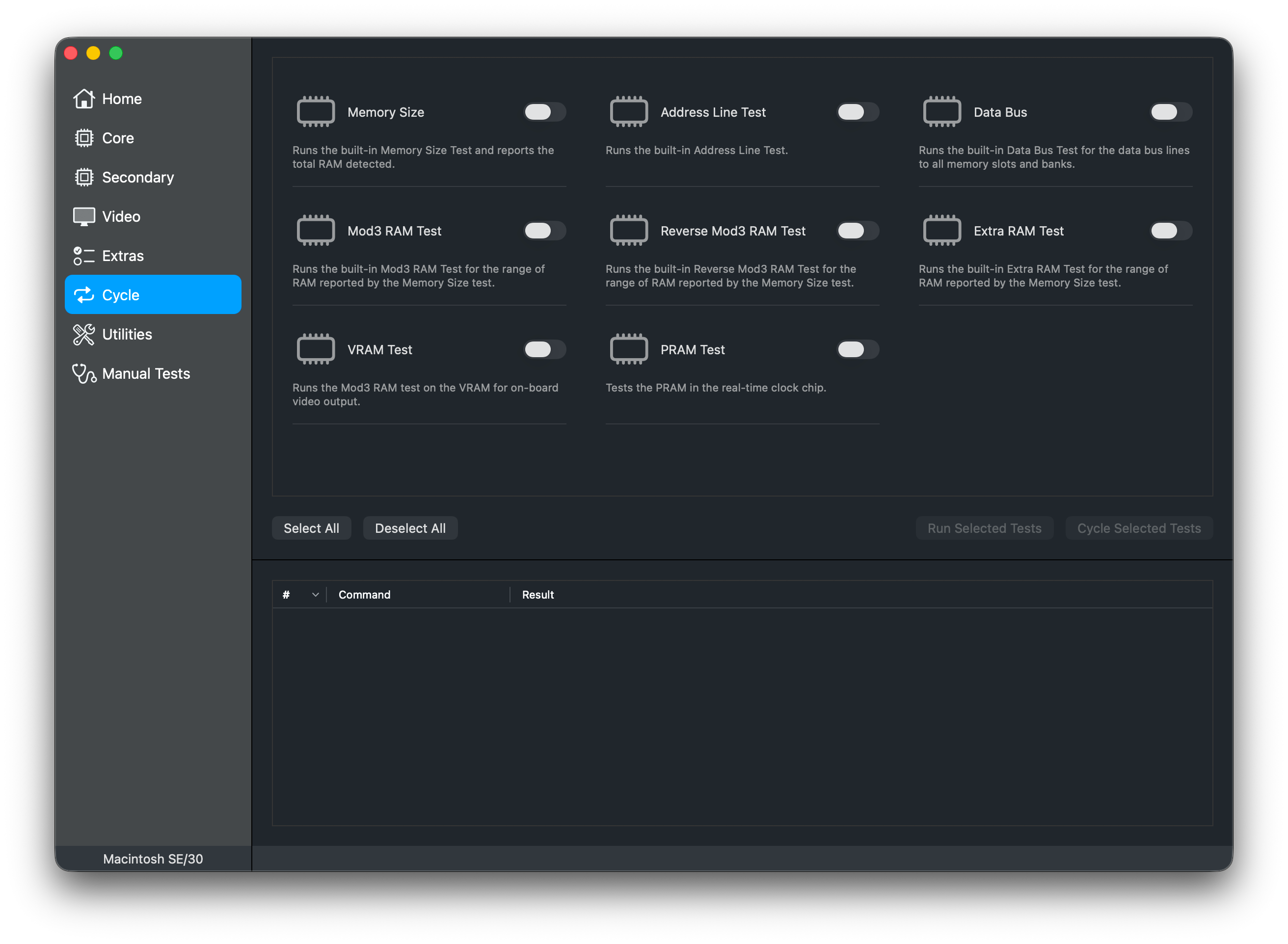
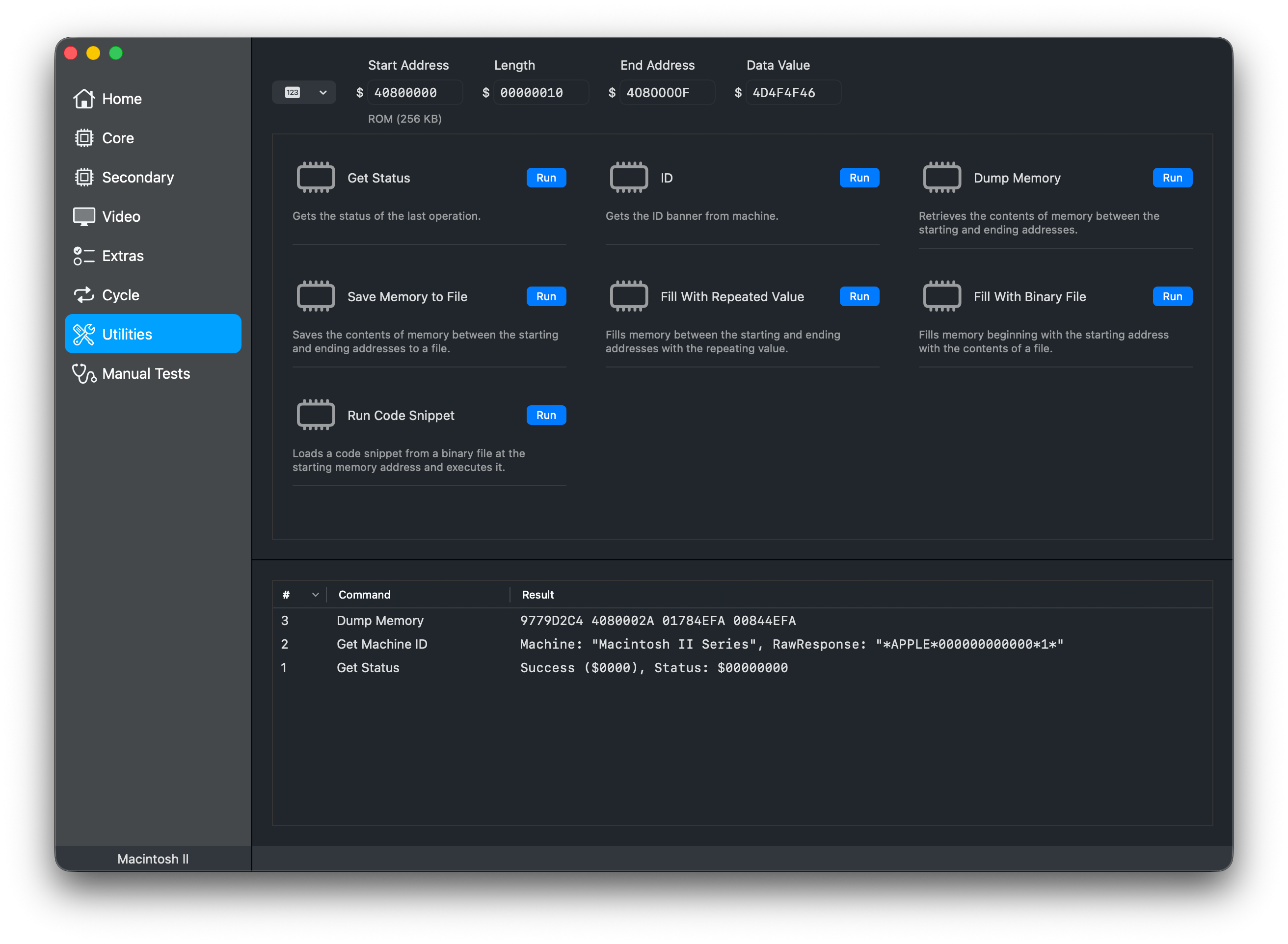
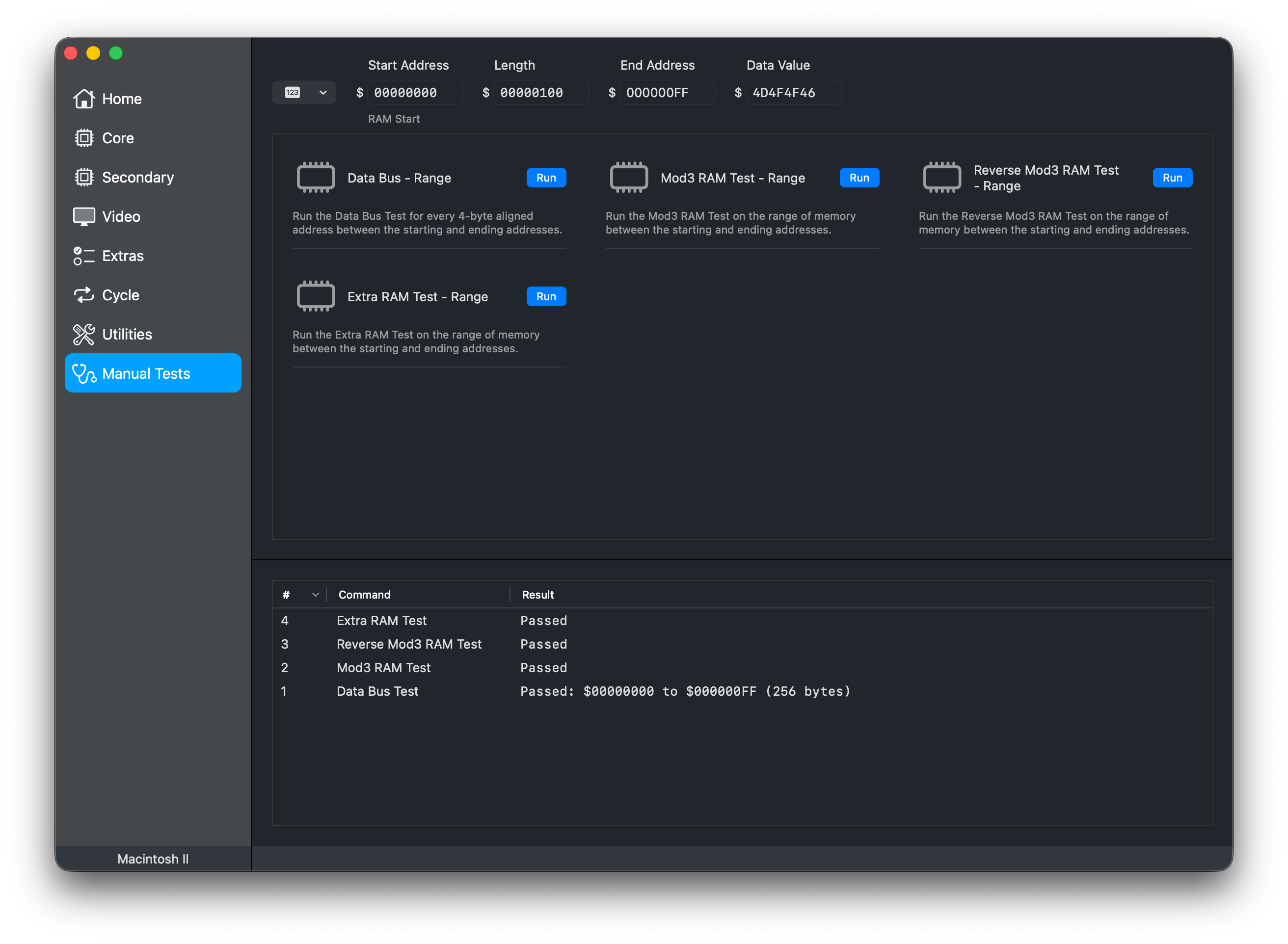
Reconnaissance running on Windows 11
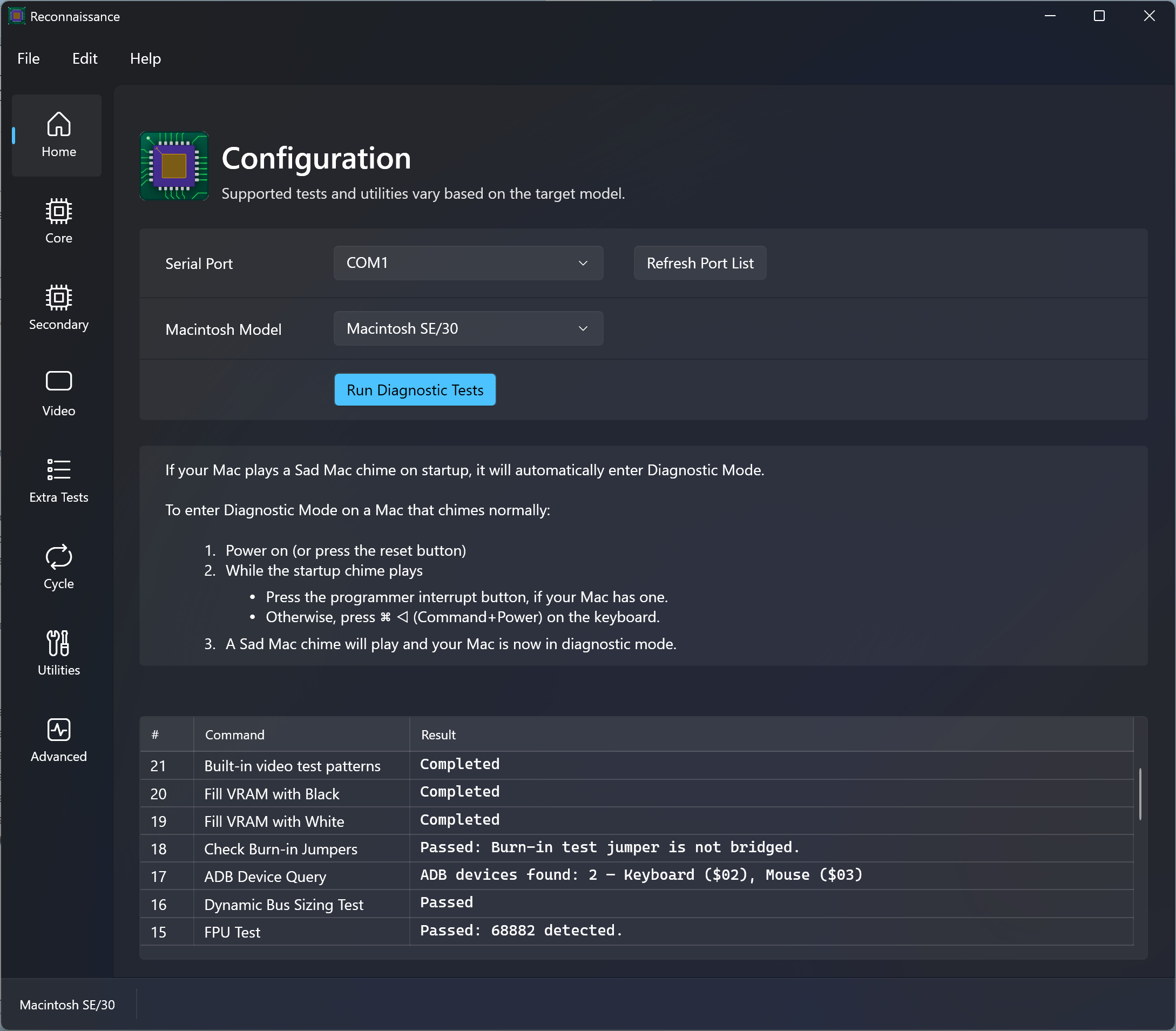
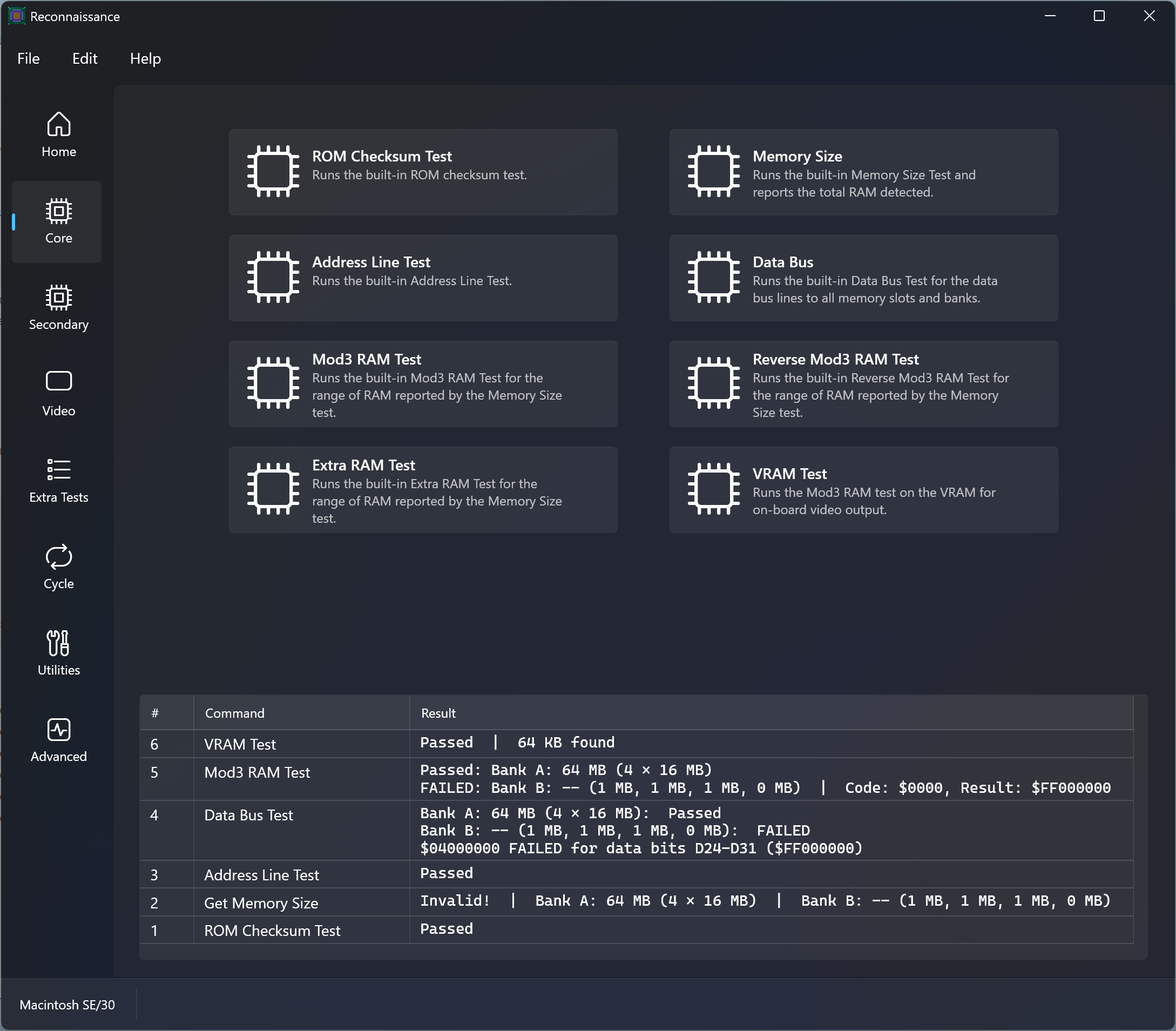
Supported Models
Currently Supported
- Macintosh II
- Macintosh IIcx
- Macintosh SE/30
- Macintosh IIsi
- Macintosh LC III
Coming Soon – Under Active Development
- Macintosh IIci
- Macintosh LC II
- Macintosh Color Classic
- Macintosh IIx
- Macintosh IIfx
Starting a Mac in Diagnostic Mode
Sad chime or no chime during power on/reset
- If your Mac plays a Sad Mac chime on startup, it will automatically enter Diagnostic Mode.
- If your Mac does not chime at all, it may still have automatically entered Diagnostic Mode.
Happy (normal) chime
- Power on (or reset)
- While the startup chime plays:
- Press the programmer interrupt button, if your Mac has one.
- Otherwise, press ⌘ ◁ (Command+Power) on the keyboard.
- A Sad Mac chime will play and your Mac is now in Diagnostic Mode.
Diagnostics Reference
✅ = Supported · Blank = Not applicable for this model
Primary Tests
Core diagnostic tests for ROM, RAM, and VRAM.
| Test | Description | II | IIcx | SE/30 | IIsi | LC III |
|---|---|---|---|---|---|---|
| ROM Checksum Test | Runs the ROM’s built-in checksum test. | ✅ | ✅ | ✅ | ✅ | ✅ |
| Memory Size | Probes memory configuration and reports the total RAM detected and slot configuration. | ✅ | ✅ | ✅ | ✅ | ✅ |
| Address Line Test | Runs the ROM’s Address Line Test. Reports any failed address lines (A0-A31). | ✅ | ✅ | ✅ | ✅ | ✅ |
| Data Bus | Runs the ROM’s Data Bus Test for the data bus lines to all memory slots and banks. Reports any failed data bus lines (D0-D31). | ✅ | ✅ | ✅ | ✅ | ✅ |
| Mod3 RAM Test | Runs the ROM’s Mod3 RAM Test for all RAM reported by the Memory Size test. | ✅ | ✅ | ✅ | ✅ | ✅ |
| Reverse Mod3 RAM Test | Runs the ROM’s Reverse Mod3 RAM Test for all RAM reported by the Memory Size test. | ✅ | ✅ | ✅ | ✅ | ✅ |
| Extra RAM Test | Runs the ROM’s Extra RAM Test for all RAM reported by the Memory Size test. | ✅ | ✅ | ✅ | ✅ | ✅ |
| VRAM Test | Runs the ROM’s Mod3 RAM test on the VRAM for on-board video output. | ✅ | ✅ |
Secondary Tests
Tests for additional logic board components — SCC, VIA, SCSI, FPU, and others.
| Test | Description | II | IIcx | SE/30 | IIsi | LC III |
|---|---|---|---|---|---|---|
| SCC Registers | Runs the ROM’s Serial Communications Controller (SCC) registers test. | ✅ | ✅ | |||
| SCC Loopback | Runs the ROM’s Serial Communications Controller (SCC) loopback test. | ✅ | ✅ | |||
| SCC Timer | Runs the ROM’s Serial Communications Controller (SCC) timer test. | ✅ | ✅ | |||
| VIA | Runs the ROM’s Versatile Interface Adapter (VIA) test. | ✅ | ✅ | |||
| VIA Timers | Runs the Macintosh II family Versatile Interface Adapter (VIA) timer tests. | ✅ | ✅ | ✅ | ||
| Real-Time Clock Chip Test | Tests the Real-Time Clock (RTC) chip time registers and one-second interrupt functionality. | ✅ | ✅ | ✅ | ||
| PRAM Test | Tests the PRAM in the Real-Time Clock chip. | ✅ | ✅ | ✅ | ||
| PRAM | Runs the ROM’s PRAM test. | ✅ | ✅ | |||
| SCSI | Runs the ROM’s SCSI test. | ✅ | ✅ | |||
| Apple Sound Chip | Runs the ROM’s Apple Sound Chip (ASC) test. | ✅ | ✅ | |||
| RBV Controller | Runs the ROM’s RAM-based video controller (RBV) test. | ✅ | ✅ | |||
| SWIM Chip | Runs the ROM’s Super Woz Integrated Machine (SWIM) test. | ✅ | ✅ | |||
| Floppy Disk Controller Chip | Tests the floppy disk controller (SWIM or IWM) chip. Does not require a floppy drive to be connected. | ✅ | ✅ | ✅ | ||
| FPU | Runs the ROM’s FPU test. | ✅ | ||||
| FPU | Tests the on-board Motorola 68882 floating point unit | ✅ | ✅ | ✅ | ||
| Egret Chip | Runs the ROM’s Egret chip test. | ✅ | ✅ | |||
| ADB Device Query | Tests VIA 1 to Apple Desktop Bus Transceiver communication by querying and reporting connected devices. | ✅ | ✅ | ✅ | ||
| Sound Interrupts | Runs the ROM’s sound interrupts test. | ✅ | ✅ | |||
| Dynamic Bus Sizing Test | Tests the dynamic bus sizing feature of 68020/68030 processors. | ✅ | ✅ | ✅ | ✅ | ✅ |
| Check Burn-in Jumpers | Checks the status of the logic board’s burn-in jumper lines, which can prevent a machine from chiming or booting. | ✅ | ✅ | ✅ |
Video Tests
Tests for machines with on-board video output.
| Test | Description | II | IIcx | SE/30 | IIsi | LC III |
|---|---|---|---|---|---|---|
| Fill White | Fills VRAM with white pixels. | ✅ | ||||
| Fill Black | Fills VRAM with black pixels. | ✅ | ||||
| Video Test Patterns | Writes a series of 1-bit test patterns to RAM-based video memory. | ✅ | ||||
| Video Test Pattern (1-bit) | Writes a 1-bit test pattern to video memory. This test fails if no monitor is connected. | ✅ | ✅ | |||
| Video Test Pattern (4-bit) | Writes a 4-bit test pattern to video memory. This test fails if no monitor is connected. | ✅ | ✅ |
Extra Tests
Additional hardware information.
| Test | Description | II | IIcx | SE/30 | IIsi | LC III |
|---|---|---|---|---|---|---|
| Query Logic Board | Reports CPU, logic board features, and state. | ✅ | ✅ | ✅ | ✅ | |
| Scan NuBus Slots | Scans NuBus slots and reports installed cards. | ✅ | ✅ | ✅ | ✅ |
Utilities
Utilities for manual exploration and troubleshooting.
| Test | Description | II | IIcx | SE/30 | IIsi | LC III |
|---|---|---|---|---|---|---|
| Get Status | Gets the status of the last operation. | ✅ | ✅ | ✅ | ✅ | ✅ |
| ID | Gets the ID banner from machine containing the model identifier and current status. | ✅ | ✅ | ✅ | ✅ | ✅ |
| Dump Memory | Retrieves the contents of memory between Start Address and End Address and displays it in the history. | ✅ | ✅ | ✅ | ✅ | ✅ |
| Save Memory to File | Saves the contents of memory between Start Address and End Address to a file. | ✅ | ✅ | ✅ | ✅ | ✅ |
| Fill With Repeated Value | Fills memory between Start Address and End Address with a repeating pattern using the Data Value parameter. | ✅ | ✅ | ✅ | ✅ | ✅ |
| Fill With Binary File | Fills memory beginning with Start Address with the contents of a file. | ✅ | ✅ | ✅ | ✅ | ✅ |
| Run Code Snippet | Loads a 680x0 machine code blob from a binary file to the Start Address and executes it. | ✅ | ✅ | ✅ | ✅ | ✅ |
Manual Tests
Parameterized memory tests — run on a custom address range instead of full memory.
| Test | Description | II | IIcx | SE/30 | IIsi | LC III |
|---|---|---|---|---|---|---|
| Data Bus - Range | Run the ROM’s Data Bus Test for every 4-byte aligned address between Start Adddress and End Address. | ✅ | ✅ | ✅ | ✅ | ✅ |
| Mod3 RAM Test - Range | Run the ROM’s Mod3 RAM Test on the range of memory between Start Adddress and End Address. | ✅ | ✅ | ✅ | ✅ | ✅ |
| Reverse Mod3 RAM Test - Range | Run the ROM’s Reverse Mod3 RAM Test on the range of memory between Start Adddress and End Address. | ✅ | ✅ | ✅ | ✅ | ✅ |
| Extra RAM Test - Range | Run the Extra ROM’s RAM Test on the range of memory between Start Adddress and End Address. | ✅ | ✅ | ✅ | ✅ | ✅ |
Questions and Answers
- I’m not sure what the result of a test means.
- Double-check the Diagnostics Reference and get help over on TinkerDifferent.
- I know my logic board has a fault but all of the tests are passing!
- Oh no! Discuss it over on TinkerDifferent.
- How can I see what Reconnaissance is doing behind the scenes?
- The File menu has commands to reveal log files so you can see the commands and responses between the app and target Mac.
- I have an idea, feedback, or a bug to report.
- Head over to Reconnaissance Issues Page or in the app, choose Help > Send Feedback.
- Can I develop custom diagnostics?
- The toolchain for developing custom diagnostic plugins on modern machines will be available soon! Custom diagnostics can be written in 68K assembly, C, or a mix of both.
- Can I interact with the test manager using a terminal program?
- Yes, you can run some basic tests this way. See the Additional References section for more information. Running tests manually can be challenging because some tests expect that test commands are run in a specific sequence.
- Will there be a Linux version?
- Yes, a Linux version is under development.
- Is the project open source?
- Absolutely! Full source code will be available soon.
Serial Adapters and Cables
You will need an appropriate serial cable to connect your Mac’s Mini-DIN-8 modem port to your USB-Serial adapter, which almost certainly has a DE-9 male port (often referred to as a DB-9 port).
Check out this TinkerDifferent post with links to serial adapters, cable parts, and premade cables.
If you’re making your own cable, see the Cable Pinout Reference.
Serial Cable Pinout Reference
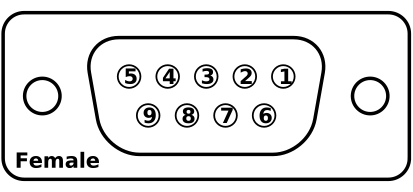
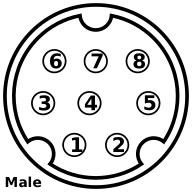
| Required Connections | ||||
|---|---|---|---|---|
| DE-9 Female | Pin | Wire Color | Pin | Mini-DIN-8 Male |
| RxD | 2 | Orange | 3 | TxD− |
| TxD | 3 | Green | 5 | RxD− |
| GND | 5 | Yellow | 4 | GND |
| Shell | Shell | Bare | Shell | Shell |
| Optional Connections (for handshaking; not used) | ||||
| DE-9 Female | Pin | Wire Color | Pin | Mini-DIN-8 Male |
| CD | 1 | Purple | 7 | GPi |
| DTR | 4 | Red | 2 | HSKi |
| RTS | 7 | Red | 2 | HSKi |
| CTS | 8 | Brown | 1 | HSKo |
| No Connection | ||||
| DE-9 Female | Pin | Wire Color | Pin | Mini-DIN-8 Male |
| DSR | 6 | – | NC | – |
| RI | 9 | – | NC | – |
| – | NC | Blue | 6 | TxD+ |
| – | NC | Black | 8 | RxD+ |
Additional References
- Mac Built-In Diagnostics — Adrian Black (YouTube)
- Macintosh Diagnostics / Test Manager Notes — Adrian Black (Google Sheets)
- Diagnostics Mode documentation — Rob Braun (via Internet Archive)